Why Is My Internet Slow Even With Fast Speed Test Results?
Last Updated: February 27, 2026
Written by:  Bandwidth Place Team
Dealing with slow internet is a major headache for many households today. You pay for a premium plan and expect your devices to work perfectly at all times. It is quite confusing when your downloads crawl despite a high-tier subscription.
You might see a fast speed test result, but your videos still buffer constantly. This gap between numbers and reality is a common technical mystery for many users. The metrics on your screen do not always reflect your actual browsing experience.

High internet speed scores do not always mean your web pages will load instantly. Local network traffic and server delays often play a much larger role than raw bandwidth. Understanding these hidden bottlenecks helps you improve your home network efficiently.
True connectivity involves more than just one simple number from a diagnostic tool. We will explore how latency, hardware age, and software settings impact your daily web use. Let us look at why your connection feels sluggish despite the positive data.
Key Takeaways
- Standard diagnostics often miss real-world network congestion issues.
- High latency affects responsiveness more than total bandwidth capacity.
- Outdated hardware can bottleneck even the most expensive data plans.
- DNS configuration problems often cause significant web page loading delays.
- Wireless interference disrupts signals before they reach your personal devices.
- Background browser extensions can hog system resources and stall performance.
Understanding the Speed Test Paradox
Despite having fast speed test results, numerous users report a subpar internet experience, a discrepancy that has become known as the speed test paradox. This phenomenon occurs when there’s a significant difference between the high speeds measured during speed tests and the slower performance experienced during actual internet use.
The speed test paradox highlights a critical issue: speed tests may not accurately reflect typical internet performance. Several factors contribute to this discrepancy, including network congestion, the type of internet activities performed, and the limitations of the devices and infrastructure used.
To better understand the factors influencing internet speed, let’s examine some key elements that affect performance. The table below outlines these factors and their potential impact on internet speed variability.
| Factor | Description | Impact on Internet Speed |
| Network Congestion | High number of users sharing the same network | Slows down internet speeds during peak usage hours |
| Device Limitations | Outdated hardware or software on devices | Can bottleneck internet performance despite fast speed test results |
| Internet Plan | Type and quality of the internet service plan | Affects overall speed and data caps |
Understanding these factors is crucial for addressing the speed test paradox. By recognizing the variables that influence internet performance, users can take steps to optimize their internet experience, potentially bridging the gap between their speed test results and actual internet speeds.
How Speed Test Tools Actually Measure Your Connection
When you run a speed test, you’re getting a snapshot of your internet connection’s bandwidth, but that doesn’t always translate to real-world performance. Speed test tools are designed to measure the maximum amount of data that can be transferred over your internet connection within a given time frame.
These tools typically work by transferring a small amount of data between your device and a nearby server, measuring the time it takes for this data to travel back and forth. This process gives an indication of your connection’s bandwidth, which is usually measured in megabits per second (Mbps) or gigabits per second (Gbps).
What Speed Tests Measure vs. What They Don’t
Speed tests primarily measure bandwidth, which is the maximum rate at which data can be transferred over your internet connection. However, they often don’t account for other critical factors that affect your internet experience, such as latency (the time it takes for data to travel from your device to the server and back) and packet loss (the percentage of data packets that fail to reach their destination).
To understand the difference, consider a highway analogy: bandwidth is like the number of lanes on a highway, while latency is like the speed limit. A highway with many lanes (high bandwidth) can handle more traffic, but if the speed limit is low (high latency), your overall journey will still be slow.
The Difference Between Bandwidth and Real-World Performance
High bandwidth is essential for activities that require transferring large amounts of data, such as streaming high-definition videos or online gaming. However, real-world performance is also influenced by other factors like the quality of your internet service provider’s (ISP) infrastructure, network congestion, and the capabilities of your devices.
| Factor | Bandwidth Impact | Real-World Performance Impact |
| Network Congestion | Minimal direct impact | Significant impact during peak hours |
| Latency | No direct impact | Affects real-time applications |
| Device Capabilities | No direct impact | Can be a significant bottleneck |
Understanding these differences is crucial for diagnosing and addressing internet performance issues. While speed tests provide valuable information about your connection’s bandwidth, they are just one tool in the broader context of optimizing your internet experience.
Network Congestion: When Everyone Else Slows You Down
The impact of network congestion on internet performance is often underestimated, leading to frustratingly slow browsing experiences. Network congestion occurs when too many devices are competing for the same bandwidth, causing a slowdown in internet speeds.
Network congestion is akin to rush hour traffic on highways; just as more cars on the road can lead to traffic jams, more devices connected to a network can slow down your internet. This congestion can happen both at the household level and on a larger scale with Internet Service Providers (ISPs).
Peak Usage Hours and Their Impact on Performance
Peak usage hours typically occur in the evening when most people are home from work and school. During these hours, the demand for bandwidth increases significantly as people stream videos, play online games, and engage in other bandwidth-intensive activities. This surge in demand can lead to network congestion, slowing down internet speeds.
Some key factors that contribute to peak hour congestion include:
- Streaming services like Netflix and YouTube
- Online gaming
- Video conferencing and remote work
- Multiple devices connected to the same network
Household Device Competition for Bandwidth
Within a household, the number of devices connected to the internet can significantly impact bandwidth. Devices such as smartphones, laptops, smart TVs, and IoT devices all consume bandwidth, potentially leading to a slowdown in internet performance.
To manage household device competition:
1. Limit the number of devices connected to the network. 2. Prioritize critical devices or applications. 3. Consider upgrading your internet plan to accommodate more devices.
By understanding and addressing network congestion, households can take steps to mitigate its impact on their internet performance.
Router Limitations That Speed Tests Won’t Reveal
Router limitations can be a silent killer of internet performance, often going undetected by standard speed tests. While your speed test results may look great, the actual performance you experience can be significantly impacted by your router’s capabilities.
Several factors contribute to router limitations, including outdated hardware, the type of Wi-Fi standard supported, and how the router is placed within your home or office.
Outdated Router Hardware and Firmware Issues
One of the primary router limitations is outdated hardware. Routers, like any other electronic device, have a limited lifespan and can become outdated as technology advances. Older routers may not support the latest Wi-Fi standards, which can lead to slower speeds and reduced performance.
Firmware issues are another critical factor. Firmware is the software that controls your router’s functions. Outdated or buggy firmware can cause a range of problems, from connectivity issues to security vulnerabilities. Regularly updating your router’s firmware is essential to ensure you have the latest features and security patches.
Wi-Fi Standards: 802.11ac vs. 802.11ax Performance
The Wi-Fi standard supported by your router significantly affects your internet performance. The two most relevant standards today are 802.11ac and 802.11ax. 802.11ac, also known as Wi-Fi 5, offers high speeds but can become congested in environments with many devices.
802.11ax, or Wi-Fi 6, is the newer standard that not only provides faster speeds but also improves performance in dense environments. Wi-Fi 6 routers are better equipped to handle multiple devices simultaneously, reducing congestion and improving overall network efficiency.
- 802.11ac (Wi-Fi 5): Offers high speeds, suitable for most home networks.
- 802.11ax (Wi-Fi 6): Provides faster speeds and better performance in dense environments.
Router Placement and Signal Interference Problems
How you place your router can dramatically affect your Wi-Fi signal strength and, consequently, your internet performance. Physical barriers like walls and floors can weaken your Wi-Fi signal, while other electronic devices can cause interference.
To minimize signal interference, it’s recommended to place your router in a central location, away from other electronics and physical obstructions. Additionally, using tools to analyze Wi-Fi networks in your area can help you choose the least congested channel, further improving your router’s performance.
By understanding and addressing these router limitations, you can significantly improve your internet experience, even if your speed test results are already fast.
The Hidden Impact of DNS Performance on Browsing Speed
While fast speed test results are reassuring, the Domain Name System (DNS) performance plays a crucial role in determining your actual browsing experience. DNS is often referred to as the “phonebook of the internet” because it translates domain names into IP addresses that computers can understand.
DNS performance can significantly affect how quickly you can access websites and online services. Even with a fast internet connection, a slow DNS can lead to delays in loading websites.
Comparing DNS Server Response Times Across Providers
Different DNS providers offer varying levels of performance. Some popular DNS services include Google Public DNS, Cloudflare DNS, and OpenDNS. The response times of these services can differ significantly.
For instance, a study comparing the response times of various DNS providers found that Cloudflare DNS often outperforms others in terms of speed and reliability. When choosing a DNS provider, it’s essential to consider their server response times and how they might impact your browsing experience.
- Google Public DNS: Known for its reliability and speed.
- Cloudflare DNS: Offers fast response times and enhanced security features.
- OpenDNS: Provides customizable filtering and security options.
How Slow DNS Affects Browsing Despite Fast Speed Test Results
A slow DNS can cause significant delays in browsing, even if your speed test results indicate a fast connection. When you enter a URL or click on a link, your browser first queries the DNS to resolve the domain name into an IP address. If the DNS server is slow to respond, this initial step can introduce a noticeable delay.
Furthermore, many speed tests do not account for DNS resolution times. As a result, you might see fast speeds reported by your speed test, but still experience slow browsing due to DNS-related delays.
| DNS Provider | Average Response Time (ms) |
| Google Public DNS | 25 |
| Cloudflare DNS | 10 |
| OpenDNS | 30 |
By understanding the impact of DNS performance on your browsing experience, you can take steps to optimize your DNS setup and potentially improve your overall internet performance.
Website and Server Performance Variables Beyond Your Control
Beyond your home network, several external factors can affect your internet experience, including the location of servers hosting the websites you visit. While you may have a fast internet connection, the performance of the websites you access can be influenced by various elements outside of your immediate control.
Server Location and Geographic Distance Effects
The distance between your location and the server hosting the website you’re accessing can significantly impact your browsing experience. The farther the server is from your physical location, the longer it takes for data to travel back and forth, resulting in slower page loading times.
Geographic distance affects server response times due to the physical limitations of data transmission. The speed of light, though fast, is still finite, and data packets have to travel through multiple networks and routers, introducing latency.
A study comparing server response times across different geographic locations revealed significant variations. For instance, a server located in the United States might respond quickly to users in North America but more slowly to those in Europe or Asia.
| Server Location | Average Response Time (North America) | Average Response Time (Europe) | Average Response Time (Asia) |
| US East Coast | 50 ms | 120 ms | 200 ms |
| Europe | 100 ms | 50 ms | 250 ms |
| Asia | 200 ms | 150 ms | 50 ms |
Content Delivery Network Efficiency Variations
Content Delivery Networks (CDNs) are designed to mitigate the impact of geographic distance by caching content at edge locations closer to users. However, the efficiency of CDNs can vary based on their infrastructure and the quality of their implementation.
A well-implemented CDN can significantly reduce latency and improve page load times by serving content from a location nearer to the user. Conversely, a poorly optimized CDN might not provide the expected benefits, potentially even introducing additional latency due to extra DNS lookups or inefficient routing.
When evaluating CDN performance, factors such as the number of edge locations, the quality of their network infrastructure, and their ability to handle peak traffic loads become crucial. Some CDNs also offer advanced features like TCP optimization and SSL/TLS termination, which can further enhance performance.
Background Applications Consuming Your Bandwidth Silently
Background applications can significantly impact your internet speed, often going unnoticed until performance issues arise. These applications, ranging from cloud backup services to streaming services, can consume substantial bandwidth, leading to a slower internet experience.
Cloud Backup Services and Automatic Updates
Cloud backup services and automatic updates are common background applications that can affect your internet speed. Services like Google Drive, Dropbox, and OneDrive continuously sync files in the background, consuming bandwidth. Similarly, automatic updates for operating systems and applications can also use significant bandwidth, especially if they are large updates.
For instance, a study by Cloudwards found that cloud backup services can consume up to 100 Mbps of bandwidth during peak usage times. To mitigate this, users can configure their cloud backup services to update during off-peak hours or limit the bandwidth used by these services.
Streaming Services and Smart Home Device Activity
Streaming services and smart home devices are other significant consumers of bandwidth. Services like Netflix, Hulu, and Amazon Prime Video can use a substantial amount of bandwidth, especially when streaming in high definition. Smart home devices, such as security cameras and voice assistants, can also contribute to bandwidth consumption.
A table illustrating the average bandwidth consumption of various streaming services is shown below:
| Streaming Service | SD (Mbps) | HD (Mbps) | 4K (Mbps) |
| Netflix | 1 | 5 | 25 |
| Amazon Prime Video | 0.5 | 5 | 25 |
| Hulu | 1 | 5-8 | 12-16 |
Identifying and Managing Bandwidth-Hogging Applications
To manage bandwidth effectively, it’s crucial to identify which applications are consuming the most bandwidth. Users can use their router’s built-in features or third-party software to monitor bandwidth usage. Once identified, users can take steps to limit the bandwidth used by these applications or schedule their usage during off-peak hours.
For example, users can use Quality of Service (QoS) settings on their routers to prioritize critical applications and limit bandwidth for less critical ones. Additionally, users can configure their devices to update during off-peak hours, reducing the impact on their internet speed.
ISP Throttling and Traffic Management Policies
ISP throttling is a controversial practice that affects how different types of internet traffic are prioritized. Internet Service Providers (ISPs) implement traffic management policies to balance network congestion, security, and the diverse needs of their users. However, these policies can sometimes result in slower internet speeds for certain activities.
Traffic management involves various techniques to control the flow of data across the network. This can include bandwidth throttling, where the ISP intentionally slows down the internet speed for specific services or applications. The reasons behind such practices vary, ranging from managing network congestion during peak hours to implementing data caps and prioritizing certain types of traffic.
Prioritizing Different Traffic Types
ISPs use different methods to prioritize internet traffic. For instance, they might give higher priority to latency-sensitive applications like video conferencing or online gaming over less time-sensitive activities such as file downloads. This prioritization can significantly affect the user experience, especially for those engaged in critical online activities that require high bandwidth and low latency.
- Latency-sensitive applications: Video conferencing, online gaming, and VoIP services.
- Bandwidth-intensive activities: Streaming services, large file downloads, and cloud backups.
Understanding how your ISP prioritizes traffic can help you diagnose issues related to slow internet speeds. Some ISPs are transparent about their traffic management practices, while others are not.
Detecting Throttling vs. Natural Network Slowdowns
Distinguishing between ISP throttling and natural network slowdowns can be challenging. Natural slowdowns occur due to various factors such as network congestion, hardware limitations, or issues with the destination server. On the other hand, throttling is a deliberate act by the ISP to limit your internet speed.
To detect throttling, users can:
1. Monitor their internet speed at different times to identify patterns. 2. Use VPN services to mask their internet activity and observe if speeds improve. 3. Check for any data caps or restrictions imposed by their ISP.
If you suspect that your ISP is throttling your internet, it’s essential to gather evidence and potentially contact your ISP for clarification. In some cases, switching to a different ISP or using technologies like VPNs can help mitigate the effects of throttling.
Device Hardware Constraints Creating Performance Bottlenecks
The impact of device hardware on internet speed is multifaceted, involving various components that can create bottlenecks. While speed tests may indicate a fast connection, the actual performance can be hindered by the device’s hardware capabilities.
One of the primary hardware components affecting internet performance is the network adapter. The network adapter, also known as a network interface controller (NIC), is responsible for connecting your device to the internet. Limitations in network adapters can significantly impact your internet speed. For instance, an outdated or low-quality network adapter may not support the latest Wi-Fi standards or may not be able to handle high-bandwidth activities such as 4K streaming.
Network Adapter Limitations and Compatibility Issues
Network adapter limitations can stem from various factors, including compatibility issues with the router or modem. For example, if your device’s network adapter only supports Wi-Fi 5 (802.11ac), while your router supports Wi-Fi 6 (802.11ax), you may not be able to take full advantage of your router’s capabilities. Upgrading to a compatible network adapter can resolve such compatibility issues and potentially improve your internet performance.
Moreover, the quality of the network adapter itself can affect performance. A high-quality network adapter with advanced features such as beamforming and MU-MIMO (Multi-User Multiple Input Multiple Output) can enhance your wireless connection’s stability and speed.
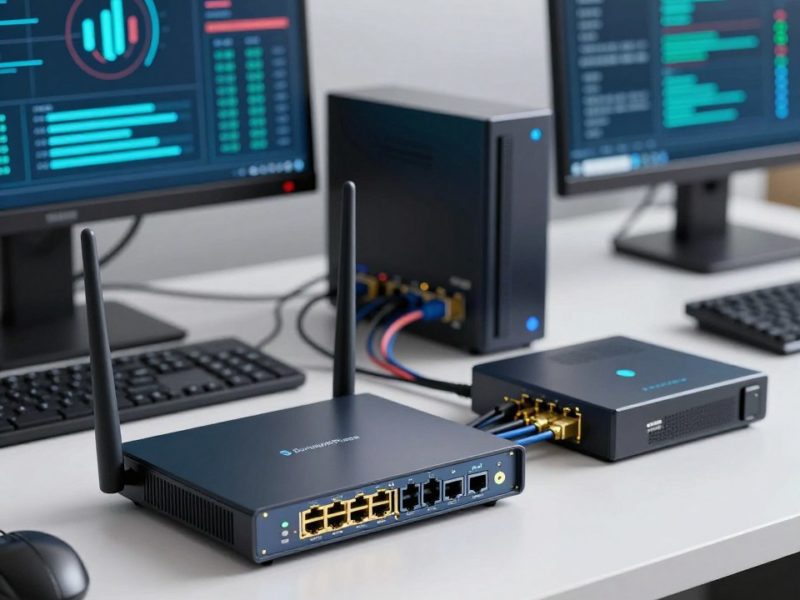
CPU, RAM, and Storage Impact on Internet Performance
Beyond the network adapter, other device hardware components such as CPU, RAM, and storage also play crucial roles in determining internet performance. The CPU (Central Processing Unit) handles the processing of internet-related tasks, while RAM (Random Access Memory) affects how many tasks can be performed simultaneously. Adequate CPU power and sufficient RAM are essential for smooth internet browsing and streaming.
Storage, particularly if you’re using a traditional hard disk drive (HDD) instead of a solid-state drive (SSD), can also impact performance. SSDs are significantly faster than HDDs in reading and writing data, which can affect how quickly web pages load and content streams.
As noted by a tech expert, “The bottleneck in internet performance is often not the connection speed but the device’s ability to handle the data.” This highlights the importance of considering device hardware when troubleshooting internet performance issues.
> “The bottleneck in internet performance is often not the connection speed but the device’s ability to handle the data.”
– Tech Expert
In conclusion, device hardware constraints can significantly impact internet performance. By understanding and addressing these constraints, users can potentially improve their internet experience.
Browser Issues That Mimic Slow Internet Connections
Browser issues can often masquerade as slow internet connections, causing frustration for users. While it’s easy to blame the internet service provider or the connection speed, the problem sometimes lies within the browser itself.
Over time, browsers can accumulate data that affects their performance. Two significant factors are cache and cookie buildup, and the use of browser extensions.
Cache and Cookie Buildup Effects on Loading Times
Cache and cookies are used by browsers to store data about websites you visit, making it easier to load them quickly on subsequent visits. However, as this stored data grows, it can have the opposite effect.
A large cache can slow down your browser because it takes longer to sift through the stored data. Similarly, an excessive number of cookies can impact performance, as they are sent with every HTTP request, potentially slowing down page loading times.
Regularly clearing your browser’s cache and cookies can help maintain optimal performance. Most browsers offer settings that allow you to manage and clear this data easily.
Browser Extensions and Their Performance Costs
Browser extensions can enhance your browsing experience by adding functionality, but they can also consume system resources and affect browser performance.
Some extensions run in the background and consume memory and CPU, potentially slowing down your browser. Others may interfere with webpage loading or cause conflicts with other extensions.
| Extension Type | Potential Impact | Mitigation |
| Ad Blockers | Can improve page loading times by blocking resource-heavy ads | Regularly update to ensure compatibility and performance |
| Productivity Tools | May consume background resources | Disable or remove unused extensions |
| Security Extensions | Can sometimes interfere with webpage functionality | Configure settings to balance security and performance |
Reviewing and managing your browser extensions can help identify and resolve performance issues related to them.
Malware and Security Threats Draining Your Connection Speed
Unbeknownst to many, malware can drastically reduce internet performance by hijacking bandwidth. This hidden threat can lead to frustratingly slow internet speeds even when your speed test results indicate otherwise.
Malware and other security threats can infiltrate your system through various means, including phishing attacks, infected software downloads, or exploited vulnerabilities. Once inside, they can operate silently in the background, consuming your bandwidth for malicious activities.
Bandwidth Consumption by Malware
Malware can use your bandwidth without detection in several ways:
- Data exfiltration: Malware can secretly send your personal data to remote servers, consuming upload bandwidth.
- Botnet activities: Your device might be enlisted in a botnet, participating in distributed denial-of-service (DDoS) attacks or other malicious activities that consume both upload and download bandwidth.
- Cryptomining: Some malware uses your device’s processing power to mine cryptocurrencies, potentially slowing down your internet and overall system performance.
Botnets and Unauthorized Background Network Activity
Botnets are networks of compromised devices controlled by attackers to perform various malicious tasks. These activities can significantly impact your internet speed:
1. Your device may be used to send spam emails or host malicious content, consuming bandwidth. 2. Botnets can conduct DDoS attacks against other targets, overwhelming your internet connection. 3. Some botnets are designed to spread malware to other devices, further increasing network activity.
To mitigate these threats, it’s essential to maintain robust security measures, including up-to-date antivirus software, regular system scans, and cautious internet browsing habits. By protecting your devices from malware and security threats, you can help preserve your internet connection speed and overall network performance.
Comparing Wired vs. Wireless Connection Performance
When it comes to achieving optimal internet performance, the choice between wired and wireless connections plays a crucial role. Both types of connections have their own set of advantages and disadvantages, which can significantly impact your internet experience.
A wired connection, typically using Ethernet cables, offers a direct link between your device and the router or modem. This direct connection generally provides a more stable and faster internet connection compared to wireless alternatives.

Ethernet vs. Wi-Fi Speed Stability and Consistency
Ethernet connections are known for their reliability and speed. They provide a dedicated pathway for data transmission, which reduces interference and packet loss. This results in a more consistent internet experience, especially for applications that require high bandwidth, such as online gaming and video streaming.
In contrast, Wi-Fi connections offer convenience and mobility. However, they can be more susceptible to interference from other devices and physical barriers, which can impact speed and stability. The quality of your Wi-Fi connection can depend on various factors, including the router’s capabilities, the distance between your device and the router, and the number of devices connected to the network.
- Advantages of Ethernet:Faster speeds
- Lower latency
- More secure
- Less interference
- Advantages of Wi-Fi:Convenience
- Mobility
- Ease of installation
When Wireless Standards Become Your Limiting Factor
The performance of your Wi-Fi connection is also influenced by the wireless standard it uses. Standards like 802.11ac and 802.11ax offer different levels of performance, with 802.11ax being one of the latest and most efficient standards available. If your router or device uses an outdated wireless standard, it can become a limiting factor for your internet performance.
Upgrading to a newer wireless standard or using a wired connection can help mitigate these limitations. Additionally, optimizing your Wi-Fi network by reducing interference, updating your router’s firmware, and strategically placing your router can improve your wireless internet performance.
| Wireless Standard | Maximum Speed | Frequency Band |
| 802.11ac | 1.3 Gbps | 5 GHz |
| 802.11ax | 9.6 Gbps | 2.4 GHz, 5 GHz, 6 GHz |
VPN and Proxy Services Impact on Connection Speed
The impact of VPN and proxy services on connection speed is a critical consideration for users seeking both security and performance. While these services enhance online privacy and security, they can also introduce additional complexities that affect internet speed.
One of the primary factors influencing connection speed when using VPN or proxy services is the encryption overhead. Encryption is a process that secures data by converting it into a code, preventing unauthorized access. However, this process requires computational resources, which can slow down the connection. As noted by a leading cybersecurity expert, “Encryption is not free; it consumes CPU cycles, and when you’re dealing with high-speed networks, that can become a bottleneck.” The level of encryption and the hardware’s capability to handle it play significant roles in determining the extent of the slowdown.
Encryption Overhead and Server Distance Penalties
Encryption overhead is not the only factor; the distance between your device and the VPN server also significantly impacts connection speed. The farther the server, the longer the data takes to travel back and forth, resulting in higher latency. This is akin to the concept of latency in network communications, where distance and the number of hops between the client and server directly affect the response time.
Comparing VPN Protocol Performance: OpenVPN vs. WireGuard vs. IKEv2
Different VPN protocols offer varying levels of performance, security, and ease of use. Here’s a comparison of three popular protocols:
- OpenVPN: Known for its strong security features and flexibility, OpenVPN is widely used. However, it can be slower due to its complex encryption methods.
- WireGuard: WireGuard is a newer protocol that promises faster speeds due to its streamlined code and modern cryptography. It’s gaining popularity for its simplicity and performance.
- IKEv2: IKEv2 is another protocol that offers a good balance between security and speed. It’s particularly useful for mobile devices due to its ability to quickly re-establish connections.
As a recent study highlights, “WireGuard has shown significant performance improvements over traditional protocols like OpenVPN, especially in high-latency environments.” The choice of VPN protocol can thus significantly impact the user’s experience in terms of speed and security.
Practical Solutions to Bridge the Speed Gap
To address the disparity between speed test results and actual internet performance, several practical steps can be taken. By understanding and implementing these solutions, users can significantly enhance their online experience.
Optimizing Your Home Network Configuration
One of the primary factors affecting internet performance is the configuration of your home network. Router placement plays a crucial role in determining the strength and reliability of your Wi-Fi signal. Positioning your router in a central location, away from physical obstructions and interference sources, can greatly improve coverage and speed.
Additionally, ensuring your router’s firmware is up-to-date is vital. Manufacturers often release updates that improve performance, fix bugs, and enhance security. Changing the Wi-Fi channel to one that is less congested can also help in optimizing your network.
Device and Software Settings for Better Performance
Device and software settings can significantly impact internet performance. For instance, background applications consuming bandwidth without your knowledge can slow down your internet. Regularly checking and managing these applications can help maintain optimal speeds.
Moreover, ensuring that your devices are equipped with the latest network adapters and that their drivers are updated can improve connectivity and performance. Using a wired Ethernet connection instead of Wi-Fi for critical applications can also provide a more stable and faster connection.
> “The key to maintaining optimal internet performance lies in regularly updating and optimizing both your network configuration and device settings.”
When to Contact Your ISP or Upgrade Your Service Plan
If you’ve optimized your home network and device settings but still experience slow internet speeds, it may be time to contact your ISP. They can help identify issues on their end, such as outages or throttling, and provide guidance on potential upgrades to your service plan.
Upgrading your service plan to one that offers higher speeds or more bandwidth can be a straightforward solution to persistent slow internet issues. It’s also worth inquiring about any data caps or throttling policies that might be affecting your service.
- Check for outages in your area.
- Discuss potential upgrades with your ISP.
- Review your current plan’s data caps and throttling policies.
Conclusion
Understanding the complexities of internet speed is crucial for a seamless online experience. As discussed, factors such as network congestion, router limitations, DNS performance, and background applications can significantly impact your internet speed.
To achieve optimal internet speed, it’s essential to identify and address the specific bottlenecks in your connection. By optimizing your home network configuration, managing device and software settings, and considering upgrades to your service plan, you can bridge the gap between your speed test results and real-world performance.
Effective internet speed optimization requires a holistic approach, taking into account the various elements that influence your online experience. By applying the insights gained from this article, you can enjoy a faster and more reliable internet connection.
FAQ
Why does Ookla or Fast.com show high speeds when my browsing feels sluggish?
Speed tests typically measure bandwidth—the maximum capacity of your pipe—by connecting to a nearby, optimized server. Real-world performance is influenced by latency (ping), DNS resolution times, and the distance to the specific server hosting the website you are visiting. A high-speed result doesn’t account for packet loss or the processing delays on the website’s end.
How does the difference between Wi-Fi 5 and Wi-Fi 6 affect my actual performance?
While speed tests might reflect the maximum throughput of your ISP plan, older hardware using 802.11ac (Wi-Fi 5) handles multiple devices less efficiently than 802.11ax (Wi-Fi 6). If you have numerous smart home products or mobile devices connected, the older standard can create a bottleneck known as network congestion, which slows down your effective speed despite what the test says.
Can switching my DNS provider really improve my internet speed?
Yes. Before a website loads, your browser must translate the URL into an IP address via a DNS server. Many default ISP servers are slow. Switching to a high-performance provider like Cloudflare (1.1.1.1) or Google Public DNS (8.8.8.8) can drastically reduce “time to first byte,” making the internet feel much faster even if your total bandwidth remains the same.
Why is my internet slower during the evening even if my speed test looks fine?
This is often due to Peak Usage Hours. While your local connection to the testing server is clear, the broader infrastructure used by services like Netflix or YouTube may experience heavy traffic. Additionally, your ISP might implement Traffic Management Policies or throttling to balance the load across the neighborhood during high-demand periods.
How do background applications like OneDrive or Steam affect my connection?
Applications such as Dropbox, iCloud, and Steam often run silent updates or sync files in the background. These processes consume upstream bandwidth, which can lead to bufferbloat. This increases jitter and latency, making your connection feel “laggy” during interactive tasks like video conferencing on Zoom or online gaming.
Does using a VPN like NordVPN or ExpressVPN always slow down the internet?
Generally, yes. A VPN introduces encryption overhead and routes your data through a secondary server, which increases the physical distance your data travels. To minimize this, use modern protocols like WireGuard instead of OpenVPN, as they are designed for better performance and lower resource consumption.
Could my browser extensions be the reason for slow page loading?
Absolutely. Heavy extensions in Google Chrome or Mozilla Firefox, particularly those that scan page content or run complex scripts, can delay rendering. Furthermore, a bloated browser cache or excessive cookies can force the browser to work harder to display a page, mimicking the symptoms of a slow internet connection.
What is the benefit of using an Ethernet cable over a Wi-Fi connection?
An Ethernet connection provides a dedicated, shielded pathway for data, eliminating signal interference from household electronics. While Wi-Fi is subject to environmental obstacles and signal degradation, a wired connection offers the most consistent ping and eliminates the instability that often causes speed test results to fluctuate.
How do I know if my router hardware is the bottleneck?
If you achieve full speeds while standing next to the router but experience drops in the next room, you likely have a signal penetration issue. Additionally, older routers with limited CPU and RAM can struggle to manage the high-speed data packets provided by Fiber Optic plans, leading to crashes or slowdowns when multiple devices are active.
Can malware or botnets consume my bandwidth without my knowledge?
Yes. Malicious software can recruit your device into a botnet, using your upload speed to perform DDoS attacks or mine cryptocurrency. This unauthorized background activity drains your resources, leaving very little “room” for your actual browsing, even if your ISP is delivering the full speed promised in your contract.
YOU MAY ALSO LIKE:
About the Authors
Bandwidth Place Team