Ethernet Internet Connection

Take your Business to the next level of connectivity with Ethernet Internet.

Google Fiber headlines are drawing widespread interest in Ethernet over Fiber with speeds over 100 times faster than traditional home broadband. Business Ethernet is an equally hot topic for businesses seeking Internet speeds of up to 1000 Mb or 1 gigabyte!  Three significant advantages top the list: massive bandwidth at a lower cost per Mb compared to other ultra high-speed technologies, the ability to easily scale connectivity, and low-cost investment in infrastructure and security.

ethernet

Why such a Hot Technology?  Sheer Bandwidth Volume.

Ethernet, Fast Ethernet (FastE), and gigabit Ethernet (GigE) give businesses flexibility for scaling services – far beyond standard access technologies.  Ethernet delivers speeds up to 10 Mbps, FastE scales to 100 Mbps, and GigE gives large corporations access to 1000 Mbps (a gigabit).  Now that’s bandwidth!

Can your business get Ethernet Internet Service?

Availability is dependent on whether a carrier has fiber into a building.  Another alternative is to determine if a carrier is close enough to your location to justify the expense of building out the infrastructure to your facility. Online research can provide you available options. BandwidthPlace consultants will do the research for you and provide availability and pricing options. While we provide this service and can work with you from the quote, contract, and installation process – we take a non-sales, informational approach.  Your contact information is never distributed to any other provider or carrier. Use the “Get More Speed” form to tell us what you are looking for.

The Upside of Ethernet Internet:

  • Cost-effective bandwidth for ultra-high bandwidth speeds.
  • Greater value per Mbps than T1, Frame Relay or Private Lines.
  • Highly reliable and consistent performance.
  • Transfer large amounts of data securely and utilize hosted applications
  • Scalable broadband with speeds up to 1 gigabit (1000 Mbps)
  • No costly equipment setup and operation.
  • Fiber lines are resistant to cross-talk and electromagnetic interference
  • Ethernet integrates well with LAN and WAN architectures

The Downside of Ethernet Internet:

  • Availability is limited
  • Can have higher initial costs

Ethernet over Copper (EoC) vs. Ethernet over Fiber

Ethernet over Copper (EoC) is a form of Ethernet that uses twisted copper telephone wire and uses the same RJ-45 jack connection that conventional Ethernet cables use. EoC has many advantages, but the main one is the price. Ethernet over Copper is delivered over copper pairs, so EoC doesn’t require expensive fiber build outs. Plus, it’s easy to upgrade, unlike traditional bonded T1, which can take months to increase bandwidth.

Ethernet over fiber – Ethernet uses fiber lines to deliver Internet access.  Carriers like Ethernet over fiber because they can connect customers directly to the Internet and bypass the phone company.  A direct connection enables Ethernet Carriers to fully control the quality of the line.

The overall advantages of Business Ethernet Internet

Ethernet is massive broadband for less money. When available, Ethernet is dedicated and delivers a highly reliable Internet connection to power multiple IP applications. Ethernet Internet service is highly reliable, scalable, and lower cost per Mb vs. other high-speed technologies.

About the Authors

Cable Internet – Broadband, HDTV, and Phone

In the World of High-Speed Broadband, Cable Internet is King.

Cable Internet is the clear leader when it comes to affordable high-speed broadband for your home. DSL is becoming more available, but Cable Internet is faster, has nearly twice the customers and holds the edge in terms of overall service. For everyday Internet use Cable delivers the best connection.

Media-Room1

The Upside of Cable Internet

  • It starts with proven technology. Cable providers like Comcast and Time Warner Cable send the Internet signal through the same coaxial cables that have provided television to millions of households for decades.
  • Cable Internet can handle high bandwidth limits and offer upload speeds up to 5 Mbps and download speeds up to 50 Mbps. Speeds vary with plans and some providers promise even higher.
  • High-speed cable is ideal for streaming videos, movies and real-time gaming.
  • With Cable Internet service, your TV seamlessly becomes your computer screen. Your computer becomes your television. Cable Internet lets you enjoy the comforts and conveniences of The Connected Home.
  • Customer service is generally good, especially after the installation process.
  • Cable Internet is available to most home locations. Reference Get More Speed to check availability in your area.

The Downside of Cable Internet

  • Shared bandwidth with other local users may slow connection speeds during peak hours. This is not as common as it used to be, but you may see a difference if your neighbor is pirating MP3s around the clock. With normal cable Internet use in your area, service should remain consistent. Perform a broadband speed test at varying times to see if it fluctuates during high-peak usage hours.
  • “Up to” speeds are only potential maximums and rarely achieved. That being said, even average cable connection speeds can handle most Internet home demands and are some of the fastest available.
  • Some providers limit the amount of data customers can download every month and charge extra for exceeding.
  • The most common complaint about Internet cable relates to installation. Waiting eight hours for the cable guy has become standard fodder for stand-up comedians. But the process continues to improve and self installation options do exist.

The Bottom Line

Cable Internet can deliver the fastest, most reliable broadband connection for your home. And it’s affordable. Know What To Ask before signing up with any provider, and get the most for your money with Cable.

About the Authors

DSL Speeds – Enough Broadband For Your Home?

Are DSL Speeds Fast Enough for Your Home?

A digital subscriber line, or DSL, connects Internet customers through the same wires used by ordinary telephone calls and dial-up. Second to Cable Internet in popularity, DSL offers a reliable broadband connection for your home at an affordable price. DSL speeds may not be the fastest available, but DSL should more than suffice for everyday residential Internet demands.

DSL-home

The Upside of DSL

  • Easily bundle DSL Internet service with HDTV and Home Phone to save money and optimize your Connected Home.
  • Choose from a variety of DSL providers in order to find the plan and price that’s right for you.
  • DSL availability continues to expand to more coverage areas.
  • Installation is much easier than it used to be with self-installation kits commonly offered as an option.
  • Only minimal equipment is usually required — modem, ethernet card, phone filters – all normally included with standard service.
  • DSL speeds are generally steady and reliable with upload speeds up to 768 Kbps and download speeds up to 6Mbps. DSL speeds vary according to plans and some providers may offer higher.
  • Dedicated DSL service may also be available at a premium price when a guaranteed amount of speed is a must.

The Downside of DSL

  • DSL customers must be within 3 miles of the provider’s central office (CO) and the actual distance from the CO may effect the quality of the connection.
  • Even if DSL is available in your area, issues with phone lines such as load coils or bridge taps could make DSL service impossible.
  • DSL speeds are quick and sufficient for most Internet users, but faster options are available at a similar price.
  • The installation process has improved significantly, but glitches still exist.
  • The quality of local phone lines or technical difficulties with the service provider can slow your connection.

Different Types of DSL

Not all DSL is created equal. ADSL (asymmetric DSL) comes with most residential DSL plans. With ADSL, download speeds are quicker than upload speeds based on the theory that this is the way most people use the Internet, i.e. downloading photos, MP3s, videos and games vs. uploading large files.

Business DSL customers tend to use symmetric DSL (SDSL) which sends data at the same speed in both directions but also costs more.

IDSL offers slower speeds in both directions primarily for customers that are too far from the CO.

Assuming it’s available, ADSL, with its faster DSL speeds for downloading, is a solid, reliable service and a good broadband solution for most homes.

3 Money Saving Tips

  • Compare DSL providers in your area and look into their introductory offers.  The competition between companies can get fierce and you can benefit from the savings.
  • If possible, bundle your DSL Internet with TV and Voice services to save even more money.
  • And most importantly, when your introductory offer expires, talk to your provider about extending special pricing. Nobody wants to lose your business.

Is DSL Right for You?

If you currently have broadband service, test your speed to see if DSL could provide more bandwidth. Research the DSL providers in your area to find the pricing and plan that suits your needs, and know What To Ask before signing up. DSL can keep your home connected without breaking the bank.


About the Authors

Home Office Internet – Working from Home

Home Office Internet is more important than ever—with a steadily increasing number of people working from their homes today either as employees or small business owners. With ISPs (Internet Service Providers) increasing their residential broadband speeds, working from home with a powerful home office internet connection is more practical than ever before.

Top three things to get your home office off the ground: a designated space in your home to work, a computer and fast Home Office Internet.

home-office1

According to Reuters online, about one in five workers around the world telecommute frequently, and nearly 10 percent work from home every day. Plus, according to a new Census report, an additional 4.2 million professionals worked from home at least one day a week.

And, how about this? People who worked from home earned more than those on-site. Median household income was $74K, compared to $65K from on-site workers, with those who do both being the biggest earners, $96.3K!

Telecommuting, remote work or telework is officially a work arrangement where “commuting” is removed from the job description. Most telecommuters work from home, while others use mobile technology to work from coffee shops—the “coffice”—or other locations, usually with free Wi-Fi and plenty of sockets to recharge from.

With tools like groupware, virtual private networks, conference calling, videoconferencing and Voice over IP (VoIP), companies can communicate with workers over long distances. This saves businesses a substantial amount of money traditionally spent on travel—and travel-based costs like airfare, hotels, meals, and rental cars. Telecommuters today can carry a laptop, or tablet device, and work both at the office and at home. Plus, with the advent of cloud computing technology and Wi-Fi availability, telecommuters can access everything they need from remote servers.

“Going Green” and Telecommuting – The ideal partnership

Corporations and individuals that support telecommuting contribute in a big way to a “green and sustainable” way of life. Highlighting just a few positive environmental benefits, telecommuting:

  • reduces traffic congestion and traffic accidents
  • relieves pressure on transportation (planes, trains and automobiles)
  • reduces greenhouse gases
  • reduces energy use
  • improves disaster preparedness

A remote workforce also benefits businesses directly:

  • reduces travel-related costs
  • reduces cost of real-estate footprint
  • reduces carbon footprint
  • reduces turnover and absenteeism
  • improves employee morale
  • helps to reduce spread of illness (health care costs)

In summary, telecommuting is a win/win and improves society in numerous ways, including economic, environmental and personal.

Desktop Virtualization and Project Management

With the advent of desktop virtualization software from companies like VMWare, Symantec and Citrix, mobile devices can now access any legacy application or operating system from the office. This freedom of accessibility has created a more skilled staff, as information sharing and decision-making can be performed on familiar devices, such as smartphones and tablets.

As telecommuting increases, management technology of telework improves. Now, project managers can supervise employees, develop daily schedules, establish milestone dates and design key performance indicators—with software like Embotics VM Management, Leankit, Basecamp and ScrumDo.

About Security: Setting up a VPN at home

Some companies require that your home computer be connected to their network via a Virtual Private Network (VPN). Simply stated, A VPN is a network of computers that are all connected securely in different locations.

Larger corporations with remote workers often ship an encrypted computer to you with a VPN already connected. But if not planning on working from home for a company like Wal-Mart or Ebay, then you—or your on-site IT department—will work together to set up a home VPN connection.

When securing just your Home Office Internet and Online access, there are plenty of free or paid VPN services that encrypt your traffic only. Setting up your own private VPN is easy, and once you do, you’ll be able to browse securely on any network using your own home office Internet connection.

How much Bandwidth do I need for successful Home Office Internet?

First, determine what you do, what applications you will use, and how many people use your network. Also, if you already have Home Office Internet, use a speed test to gauge how much speed you are currently getting. Greater use of cloud services such as Office 365 and Google Apps can push broadband demands, but if you plan to watch Breaking Bad on Netflix while working, you’re going to eat up considerable amounts.

File sharing—by email, FTP, Dropbox, MEGA or anything else—is also a challenge for services like asymmetric DSL and cable connections. Plus, congested upstream connections can go from annoying when browsing, to fatal when using VoIP.

The best-case scenario is to go big when shopping for home office internet. Get the most bandwidth possible from your ISP, and you’ll have very few if any latency problems.

If super-fast home office Internet speeds seem like overkill—i.e. you are the only one using broadband during work hours—then the average speeds that we can recommend are between 20-25 Mbps (download). This can be easily bundled to your TV and Phone service, or you can go stand-alone and have a separate service for streaming media such as Netflix, Hulu and Amazon Prime—without sharing bandwidth.

Connecting Multiple Devices

Often, teleworkers have multiple people working from home or occasionally work on the patio or some distance from the house. Setting a basic home network makes this possible.

A network is a group of devices that share one connection. This could be a cable that connects two computers to a complex Wi-Fi wireless signal that allows multiple devices all at once. Your home network setup should include a modem, router (preferably wireless), network cables and your computers and printers, etc.

Keep in mind that the more devices on your network, the more bandwidth will be needed, so plan ahead and make it a goal to get at least 20 Mbps (download) or make sure that you can easily upgrade as your requirements and budget allows.

Cloud computing is more popular than ever, and cloud services such as Office 365 and Google Apps are really making remotes work easier and more affordable.

Cloud computing is basically utility computing where local computers are relieved of heavy lifting, and the cloud—available over the home office Internet—runs the applications and stores the data. The next few years, cloud computing will offer instant backups of virtual infrastructures; cloud subscription models offering pay as you grow; and cloud-based disaster recovery services, and will improve the cloud—and make it more desirable and cost effective.

Now that Video Conferencing technology eliminates the need for in-person meetings, your home office internet will need a good tool to connect to the job site. More formal video conferencing software like Cisco WebEx and Citrix GoToMeeting are inexpensive, while Skype, Google+ Hangouts are free with an email address.

Using cloud computing software, streaming video and video conferencing will all take up sizeable bandwidth at home. Figure out what is needed by your employer, or small business, and make the correct decision accordingly—which obviously means get the “most” bandwidth from your home office internet you can get. You won’t be sorry!


About the Authors

Satellite Internet – High-Speed Access from Virtually Anywhere

Satellite Internet: High-Speed Broadband that’s Available Anywhere!

For those who live in remote areas, high-speed broadband options may be limited. In some cases Satellite Internet may be your only choice. Satellite Internet is also one of the only ways to get a broadband connection on your boat or vacation RV. Satellite Internet may cost more than other broadband services and the connection may not be as strong, but Satellite Internet is available pretty much anywhere there’s a view of the southern sky.

satellite-home

The Upside of Satellite Internet

  • Satellite Internet is available virtually everywhere, even on boats and RVs.
  • Easily bundle Satellite services to get both Internet and TV at a better price.
  • Speeds are reliable and fast enough for email, web browsing and basic Internet use.
  • Ordinary weather patterns, even regular storm systems, will not interrupt Satellite service.
  • Most Satellite providers offer affordable options to buy or lease equipment.

The Downside of Satellite Internet

  • The connection is slower than cable or DSL and generally more expensive.
  • Satellite Internet signals are interrupted by sight obstacles like trees and mountains.
  • Providers often limit the amount of bandwidth for each customer.
  • Latency issues (delays in the Internet connection) result because of the distance the signal travels making heavy broadband applications like real-time gaming, talking over the Internet (VoIP) or virtual private networks (VPNs) next to impossible.
  • Severe weather can interrupt service.

How Does Satellite Internet Actually Work?

All that’s required is a clear view of the southern sky and the right equipment which most Satellite Internet providers will install for free. The Internet signal transmits to a satellite fixed above the equator and then to your home dish, and back and forth as needed. This round trip journey of some 90,000 miles, or longer depending on your latitude, creates a latency, or signal delay, which makes real-time communication like Skype calls difficult. Fortunately most other transmissions like surfing the web or checking email are quite reliable. The lag time still exists but goes virtually unnoticed.

How Weather Affects Satellite Internet

Normal weather patterns, even the occasional thunderstorm, will not affect your Satellite Internet connection. Only the most severe weather systems will cause a problem. Day or night, clouds or clear skies, Satellite Internet keeps you connected and can help optimize a Home Office or complete your Connected Home.

Getting Connected Via Satellite

Most providers, like HughesNet or Dish Network, offer service throughout the 48 contiguous states, and sometimes beyond that, for both Home and Business Satellite. Customers have the option to lease or purchase equipment. Purchasing saves money in the long run and generally comes with a one year warranty. Free basic installation is usually included. Providers might offer several service plans with various connection speeds (perform an internet Speed Test and find out exactly). Keep in mind these are only maximum speeds and never guaranteed. Satellite connections vary greatly depending on usage and location. But no matter where you are Satellite Internet is always a viable solution for broadband connection needs.

About the Authors

Enterprise Business Internet for Large Businesses

Enterprise Business Internet is ideal for Large Businesses.

It provides the reliability, scalability and speed for your large business to stay ahead of your competition. With Enterprise Business Internet there are many advantages:

  • Managed T1, Bonded T1, DS3, Ethernet, DSL, Cable and Satellite
  • Hosted Voice and Data Services
  • SIP Trunking
  • MPLS Site-to Site VPN
  • Remote IPsec VPN
  • Remote Access SSL VPN
  • Managed 24/7/365 Network
  • Managed Firewall
  • Anti-malware and Anti-virus Service
  • Spam Filtering and Web Filtering

businessTeam-T1

Enterprise Business Internet provides various Cloud and Broadband services

Get the network services your large business needs to grow with a scalable Enterprise Internet service and get an Internet service tailored to your business needs.

Cloud Computing: the cloud is your own IT service without the huge overhead. Get your own highly cost efficient pay-as-you-go computing service and avoid getting locked into fixed assets.

Ethernet: stable and established Internet technology that will connect your business with applications, employees, partners and customers. Get super-flexible voice, video and data that’s adaptable enough to accommodate any business.

Frame Relay: get a low-cost private network that’s highly secure and super efficient with the ability to link devices across Local Access Networks (LANs) and Wide Area Networks (WANs). With Frame Relay, you can quickly add locations, applications, ports and equipment for extremely competitive rates.

Business DSL: get High-Speed Internet that’s cost effective to help meet your business needs more effectively. Stream media, transfer large amounts of data and provide access to remote workers with ease.

IP VPN: connect your corporate headquarters, data centers, branch offices and remote workers to each other over a single network that also supports voice and data.

Private Line: keeping your network secure can be challenging. A Private Line will give you a dedicated service connection with high transmission speeds and superior data security—ideal for financial institutions, broadcasters and other businesses with vast data volumes and high-security protocols.

About the Authors

The Ultimate Guide to Streaming Media Online

Streaming is taking over and very soon—or when Apple decides to stream—streaming will be how all of us listen and discover media, either at home or on the go. Yes. People will still buy music. Yes. People will still go to the movies. It’s just that streaming is catching up with a new community of users that want video and audio instantly—although they might not know what they exactly want, they know at least by genre or artist.

This article—and the following series—will cover just about every video and music streaming service out there. We will cover start-ups and veterans, plus focus on what streaming services have the best content, usability and features—with an emphasis on overall cool-ness mixed with affordability.

streaming-media2

What is Streaming?

Streaming is basically just playing music or video online from an online source—without downloading the file. Technologies like Adobe Flash, Apple Quicktime and Microsoft Windows Media use a player to play the streaming media on a users computer or mobile device. All streaming technologies use a compressed audio/video file. Common video compressions, or codecs, include:

  • H.264
  • MPEG-4
  • AAC
  • WMA
  • the very popular MP3

A Brief History of Streaming

Real Networks established the first streaming audio and video markets, and in 2000, 85% plus of streaming media was in the Real system. Then the Windows Media Player was introduced and Microsoft controlled the next era of streaming. Throughout this time, web site design was shifting from HTML to Flash, until Adobe acquired Macromedia in 2005, and its Flash-player dominated streaming playback for years.

And then the iPad came out, and out came HTML5, which uses a player’s browser to play back media. For HTML5 media to work the user must have a compatible browser. To date, HTML5 has been slow on its path to domination because Flash is still being used by so many. HTML5 is really more useful for iOS and mobile players, with desktop still using Flash for most applications. However, with Netflix going HTML5 recently, I think Flash and Microsoft Silverlight have definitely seen better days.

Video Streaming

With news like Hulu adding 4 million paid subscriptions in one year, video streaming is literally taking over— we will get more specific later on what streaming video services you need to try, what movies and TV shows you need to watch, but for now let’s break video streaming into:

  1. Content, content, content: these are the most popular, like Netflix, Hulu, Amazon Instant, HBO GO, these are “content is king” video streaming sites where the content generates the views (instead of clicks).
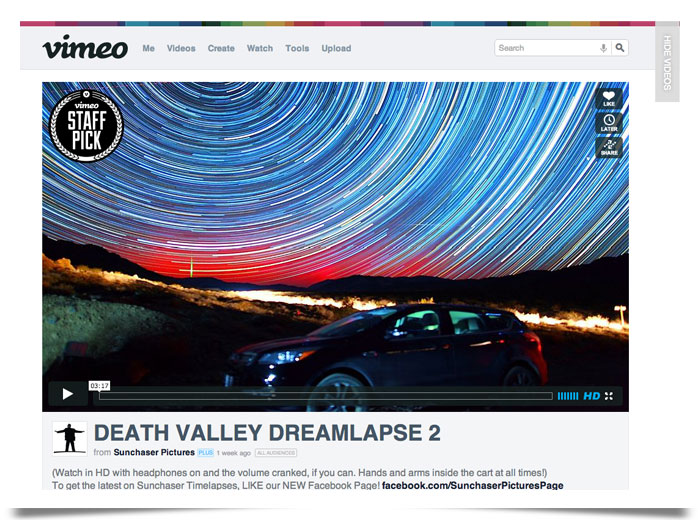
  2. User-generated: these are video hosting (or uploading) sites like Vimeo, DailyMotion and Metacafe—users upload the videos and the views come from play lists, twitter-feeds, etc.
  3. Content-user generated: this is a combo of both and one platform dominates this group: YouTube—they have shows, sports, viral videos, everything, plus some 8-year old can literally upload a show themselves and make money from ads. YouTube has a very bright future.

_blog-pics_700x400_vimeo2

Music Streaming

Here are the three groups of music streaming services:

  1. Internet radio: the beginning of streaming, Live365, Last.fm, Pandora, Noon Pacific, Console.FM, Songza—where the service decides the content, but the user decides the genre, artist or similar artists.
  2. Music player: the future of streaming, Spotify, Rdio, Grooveshark—you choose the albums and singles you want to hear. These services tend to charge you monthly fees for their premium streaming services.
  3. User-generated: the songs are all uploaded by the user, SoundCloud, Whyd, Songdrop, This Is My Jam—the user is in charge of uploading from various sources (YouTube primarily).

_blog-pics_700x400_timj2

Some services you’ll dislike, and some you’ll love, but never overlook “variety” when subscribing to music and video services. One will not do it all. It’s just impossible for one service to own “all” the music and video in the world. So make sure you try out a variety of services and base your judgment on library, accessibility, usability and overall cool-ness—and NOT on popularity (i.e. what your friends like on Facebook). And if you’re not streaming, what are you waiting for?

About the Authors